















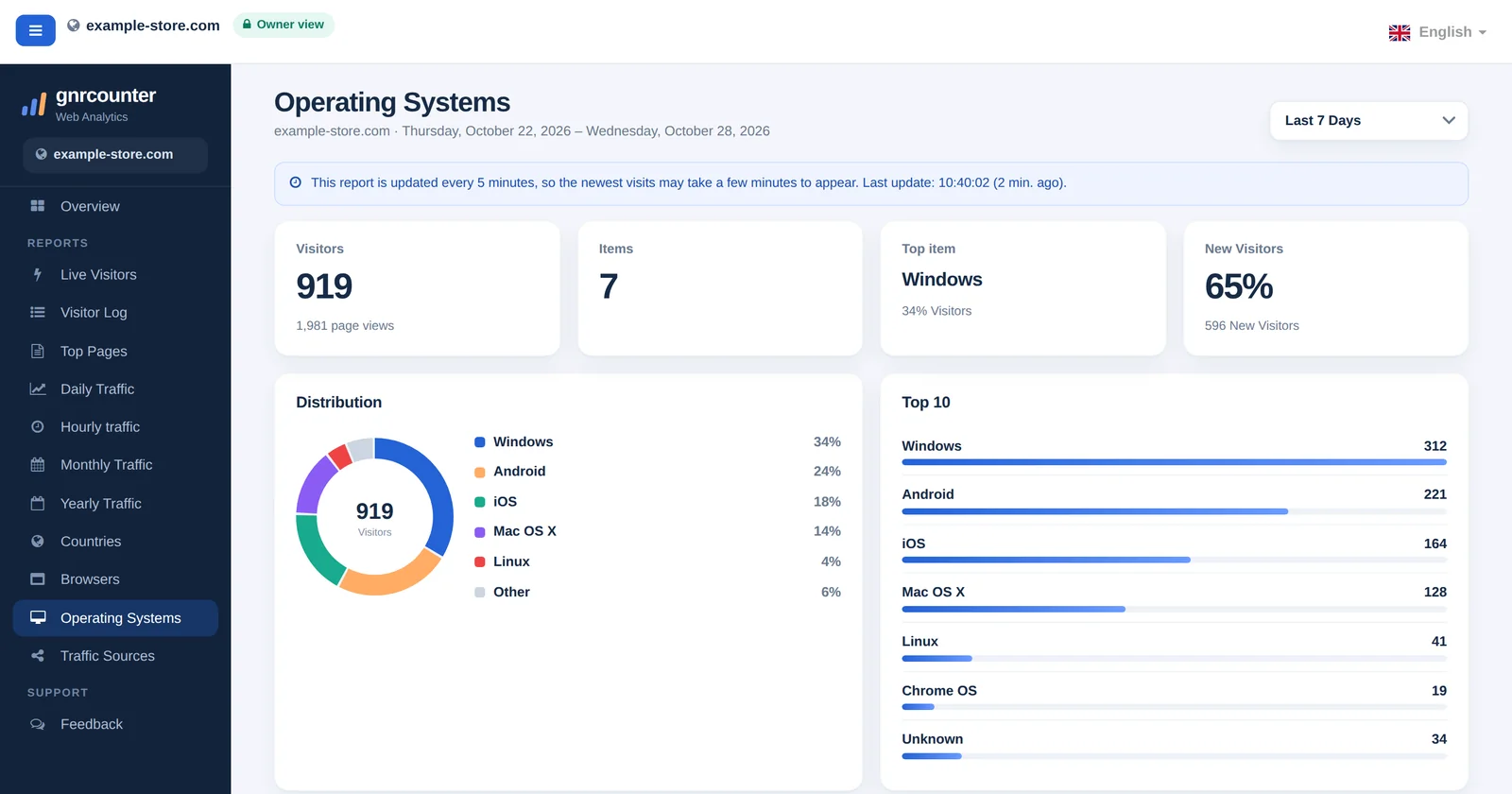
Operating Systems shows which systems your visitors’ devices run, such as Windows, Android, iOS or macOS. It tells you how many visitors each system brings, which one leads and how many pages its users view. It is a quick way to see how important phones are and which systems to test your site on.
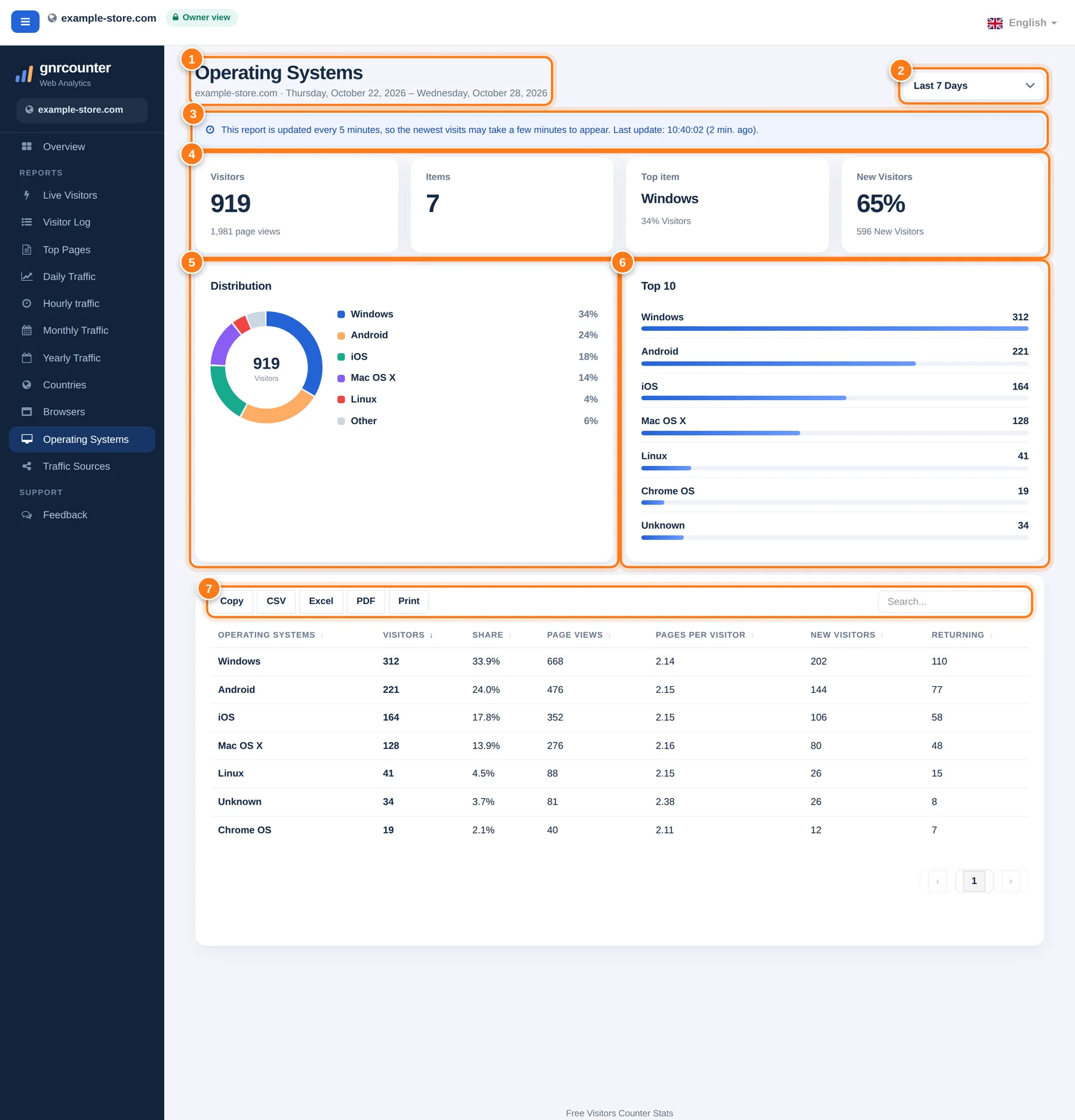
Operating Systems with its areas numbered. All figures in this guide are sample data from a fictional website.
A tour step by step
The numbers below match the markers in the picture.
- Header and periodThe report title, your site name and the first and last day of the range.
- Date range menuChoose from ten ranges, from Today to Last 12 Months. Last 7 Days is the default.
- Update noteShown when the range includes today. The report is refreshed every five minutes, so the newest visits may take a few minutes to appear.
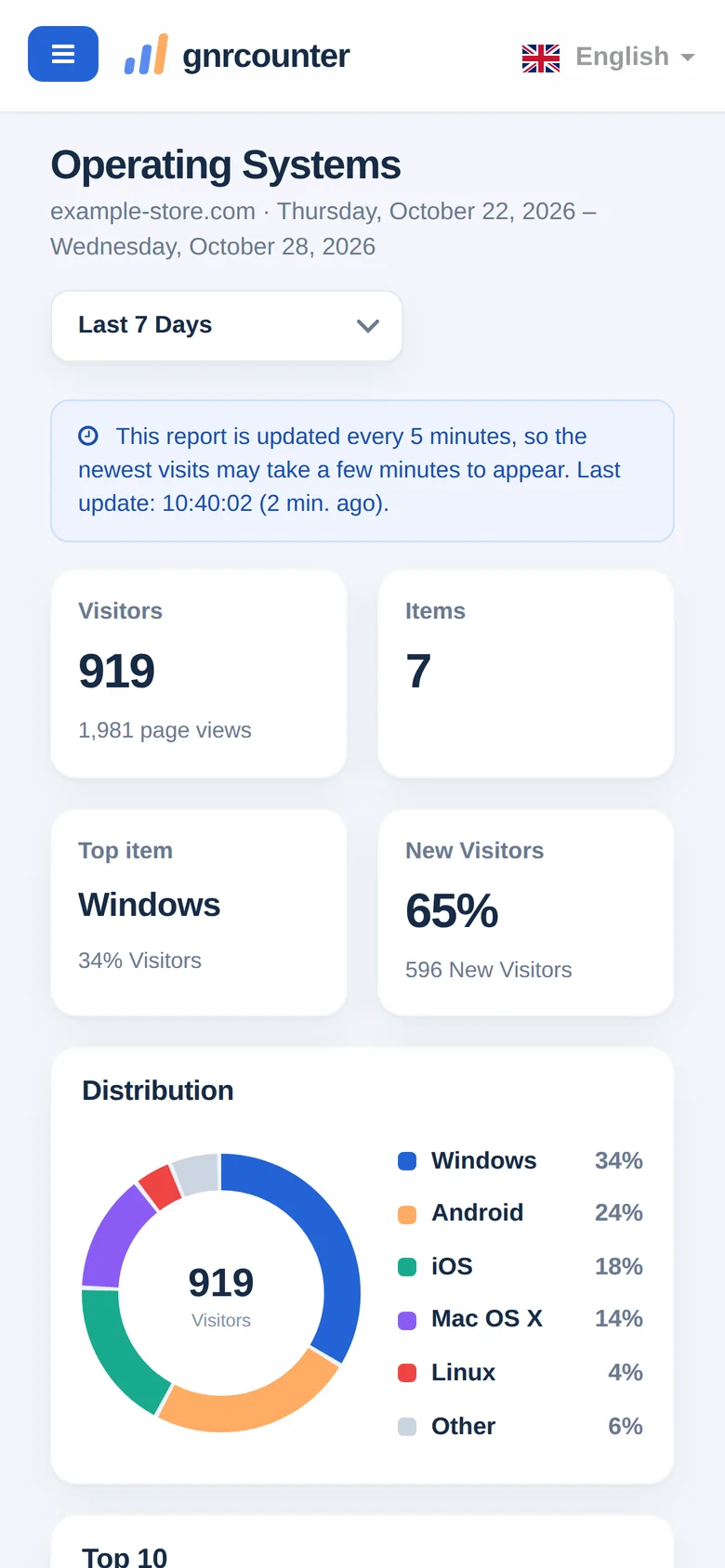
- Four summary cardsVisitors with total page views, the number of systems listed, the top system with its share of visitors, and the share of new visitors.
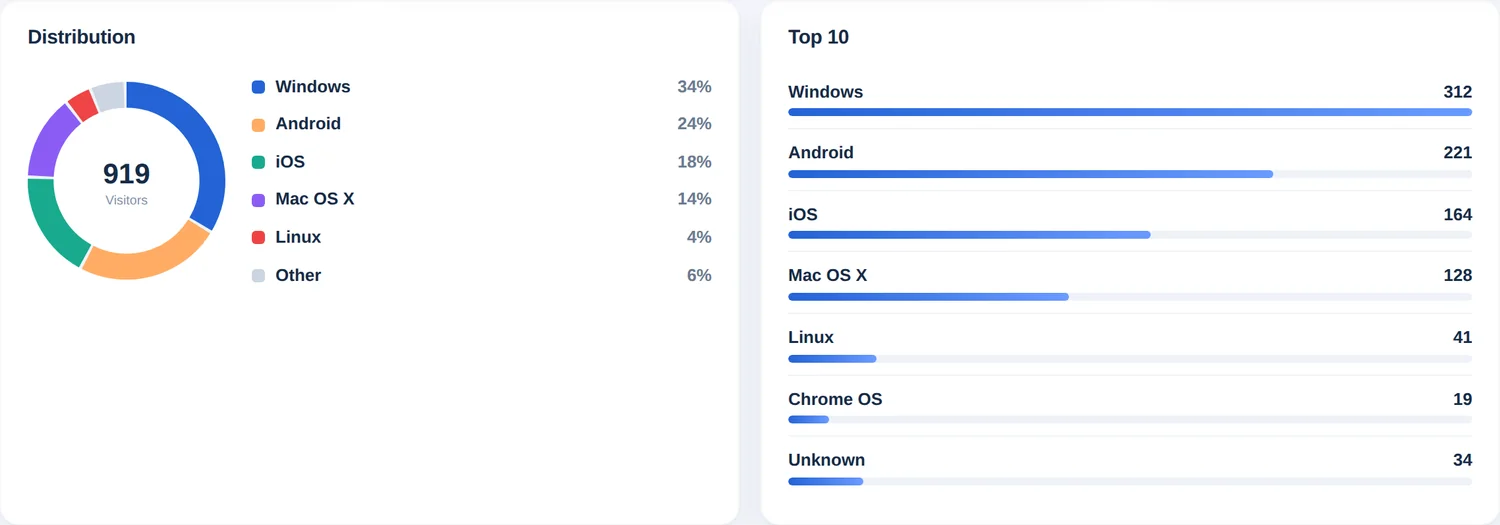
- DistributionA donut chart of the five leading systems, with all the rest grouped as Other.
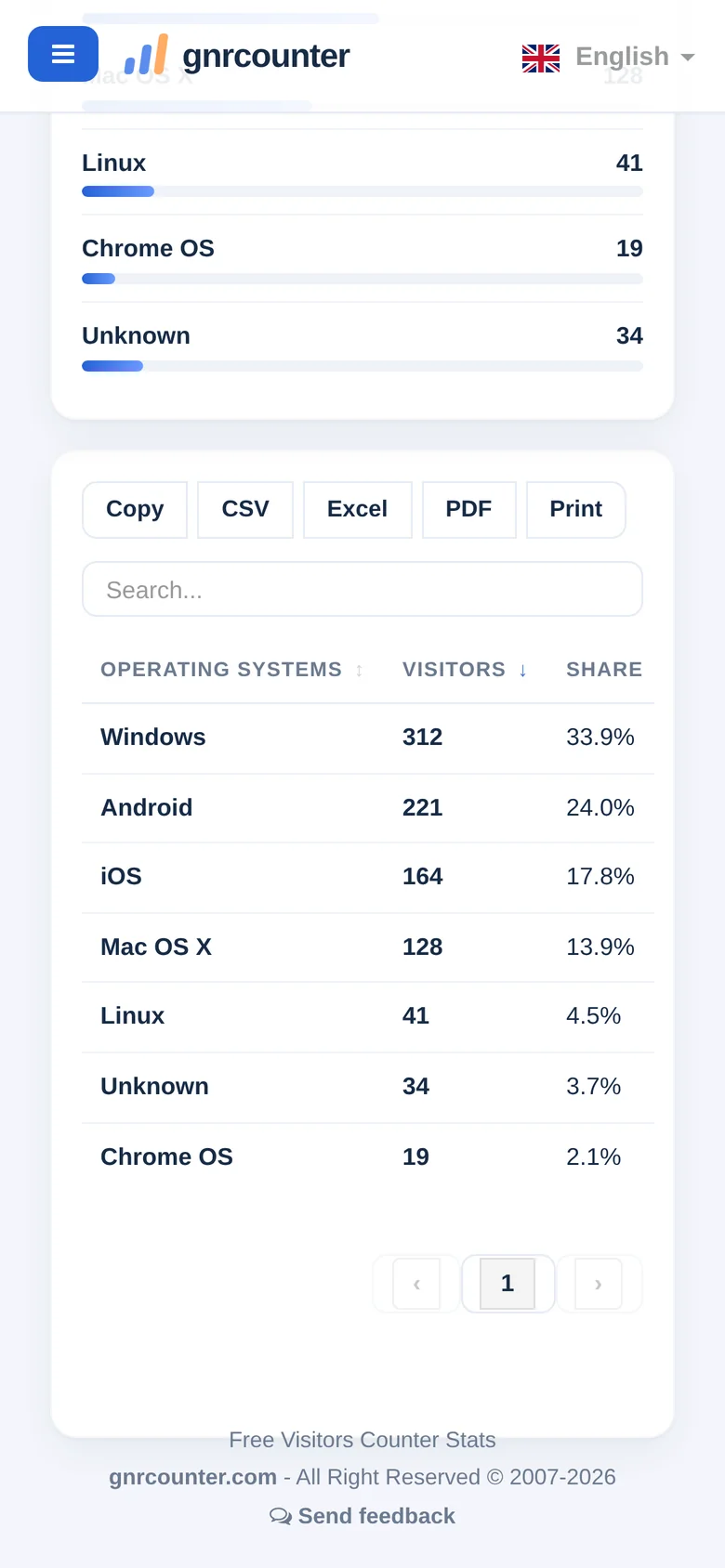
- Top 10The ten systems with the most visitors, each with a bar and the visitor number.
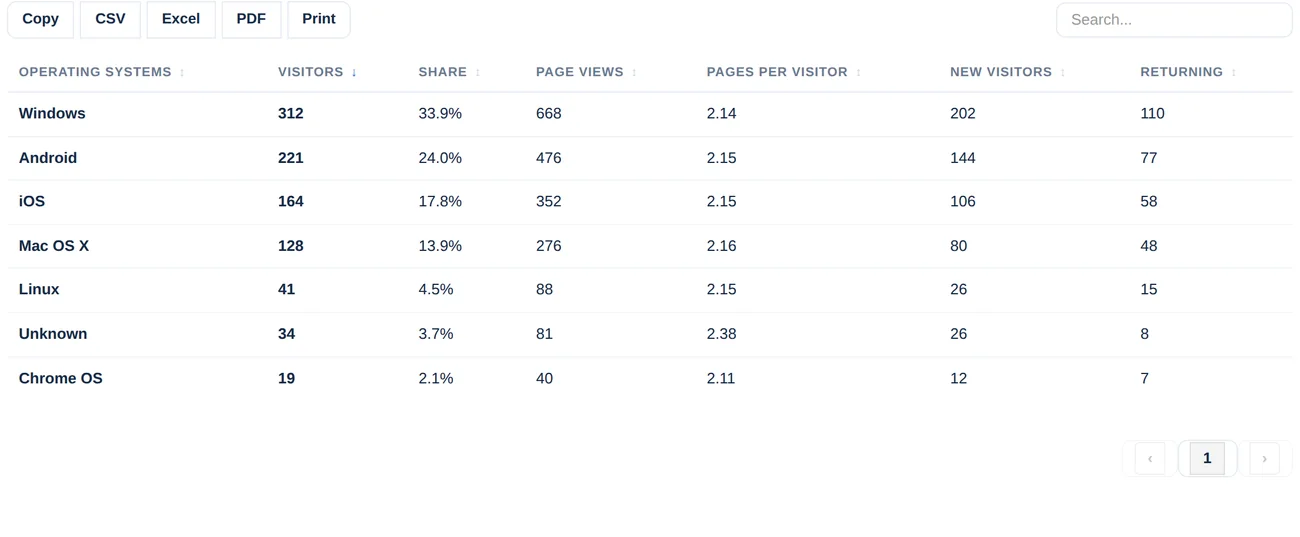
- Search and exportSearch the table below the charts or use Copy, CSV, Excel, PDF and Print.
Operating Systems at a glance
Zoom in on the details

Reading the numbers correctly
- A visitor is counted once per day, so the numbers for a range add up each day’s visitors of that system.
- The system is what the visitor’s software reports about itself. Unknown collects visits where it could not be recognised.
- The donut shows the five leading systems and groups the rest as Other. The bars and the table list the others.
- New visitors are browsers seen for the first time, recognised with a cookie. Known search engine and other bots are not counted.
Ways to use it
- Decide what to test. Check new pages on the systems at the top of the list first.
- Judge how important mobile is. A large Android and iOS share means your mobile pages matter.
- Watch trends. Compare ranges to see whether a system is growing or fading.
Operating Systems on your phone
On a small screen the summary cards come first, followed by the donut chart, the Top 10 bars and the table. Swipe the table sideways to see every column.
Common questions
Why do I see Unknown?
Some visits do not identify their system clearly. They are grouped as Unknown.
Why does the donut show only five systems?
To stay readable, the donut shows the five leading systems and groups the rest as Other. The bars and the table list the others.
How far back can I look?
Up to Last 12 Months, as long as your counter has been running that long.